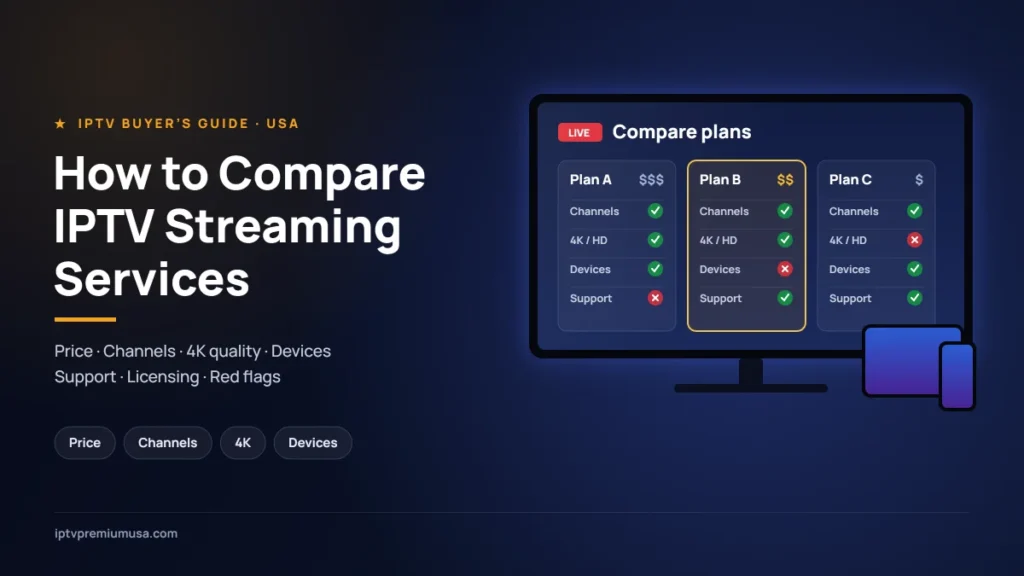
Cutting the cord used to mean giving up live TV. Today it means choosing between dozens of streaming options, each with its own price, channel list, device support and fine print. Search for “IPTV” and you will find everything from big-brand services like YouTube TV and Hulu + Live TV to smaller independent providers that sell monthly plans and support customers over chat apps. They can look similar at first glance, but they differ a lot once you start paying.
This guide gives you a practical, step-by-step way to compare IPTV streaming services and live TV options in the USA. You will learn what IPTV actually is, which factors matter most, what the major services charge right now, which red flags to watch for, and how to test a service before you commit to a long plan.
What Is IPTV, Exactly?
IPTV stands for Internet Protocol Television. Instead of receiving channels through a cable box or satellite dish, you receive them as a data stream over your internet connection and watch through an app on a smart TV, streaming stick, phone, tablet or computer.
In everyday conversation, “IPTV” is used for two quite different things:
- Major live TV streaming services such as YouTube TV, Hulu + Live TV, Sling TV, Fubo, DIRECTV, Philo and Frndly TV. These companies sign carriage agreements with networks to stream their channels in the US.
- Independent IPTV providers that sell access to a channel lineup, usually through a player app and login details sent after payment. Some operate with the proper rights to the content they offer; others do not, which is why checking this before you pay matters.
Both deliver TV over the internet, but they can differ a lot in reliability, support, payment terms and legal standing. A good comparison starts by knowing which kind of service you are looking at.
The 10 Factors That Matter Most When Comparing IPTV Services
Almost every provider promises “lots of channels” and “HD quality.” To compare options fairly, look past the headline claims and check these ten factors one by one.
1. Total Monthly Cost (Not Just the Headline Price)
The advertised price is rarely the full story. Look for:
- Base plan vs. add-ons: sports packs, premium movie channels, 4K and extra screens often cost more.
- Taxes and fees that appear at checkout, including regional sports fees on some services.
- Introductory pricing that rises after the first month or first few months.
- Multi-month plans: 3-, 6- and 12-month plans can lower the monthly cost, but they only make sense once you have tested the service.
A useful habit is to work out the cost per year for each option, including the add-ons you actually want. That single number makes very different pricing models much easier to compare. If you are considering our service, our IPTV prices page lists every plan and what it includes, so you can run the same calculation.
2. Channel Lineup (Quality Over Quantity)
A huge channel count means little if the handful of channels you actually watch are missing or unreliable. Before comparing, write down your must-haves:
- Local channels (ABC, CBS, FOX, NBC) for your area
- The news networks you follow
- Sports networks and the leagues you care about
- Kids, lifestyle or international channels for your household
Then check each service’s lineup for those specific names. The major services let you check their channel lists by ZIP code on their websites. For any other provider, ask directly and get the answer in writing before you pay.
3. Stream Quality: HD, 4K and Frame Rate
“HD” can mean anything from a clean 1080p picture to a heavily compressed stream that looks soft on a large TV. Check:
- Which channels are actually available in 4K, and whether 4K costs extra
- Whether live sports are delivered at 60 frames per second for smoother motion
- How the picture looks on your TV, not just on a phone
The most reliable way to judge quality is to watch the channels you care about on the screen you will actually use, ideally during a big live event when servers are busiest.
4. Reliability and Buffering
Reliability is where services differ most and where marketing says the least. Signs of a dependable service include consistent streams during peak evening hours, quick channel switching and few problems during major live events. Look for recent reviews that mention specific events or dates rather than vague praise.
Your own setup matters too. Most providers list modest minimum speeds for a single HD stream, but if you plan to watch in 4K or on several screens at once, a connection of 25 Mbps or more gives you useful headroom. A wired Ethernet connection, or a strong Wi-Fi signal near the TV, makes a noticeable difference.
5. Device Compatibility
Make sure a service works on every device in your home before you pay. Common devices include:
- Amazon Fire TV and Fire TV Stick
- Smart TVs (Samsung, LG, Android TV / Google TV)
- Roku and Apple TV
- iPhone, iPad and Android phones or tablets
- Web browsers on a PC or Mac
Check whether there is an official app for each device or whether you will need a separate player app, and how setup works. You can see the devices we support and how setup works on our supported devices page, with step-by-step guides for Firestick and smart TVs.
6. Simultaneous Streams and Household Use
How many people will watch at the same time? Some plans include several screens, while others allow one or charge extra for each additional screen. Some services also limit viewing outside your home network. If your family watches different things in different rooms, this factor alone can change which plan is cheapest overall.
7. DVR, Catch-Up and On-Demand
Live TV is only part of the picture. Compare:
- Cloud DVR: how much you can record and how long recordings are kept
- Catch-up TV: the ability to watch shows that aired in the last few days
- On-demand libraries: movies and series available any time
- Program guide (EPG): an accurate, easy-to-read channel guide
8. Customer Support
When a stream stops working minutes before kickoff, support matters. Check how you can reach the provider (live chat, email, phone or messaging apps such as WhatsApp), when they are available and how quickly they usually respond. A simple test is to send a pre-sales question and see how quickly and clearly you get an answer.
Looking for an IPTV subscription?
Ask us your questions before you buy
If you are comparing options and want to know whether our IPTV subscription fits your needs, message us on WhatsApp. We can tell you about our available plans, supported devices, compatibility, how setup works and current pricing, so you can decide with all the details in front of you.
9. Payment Methods and Refund Policy
Payment options say a lot about a provider. The major services take credit cards and let you cancel online. Smaller providers may accept PayPal, bank transfer or cryptocurrency. Before paying, find out:
- Whether the plan renews automatically, and how to cancel
- Whether there is a written refund policy, and what it covers
- Whether you receive a confirmation or receipt for your payment
Payment methods with buyer protection, such as credit cards and PayPal purchases of goods and services, generally give you more recourse if something goes wrong than irreversible methods like cryptocurrency or a direct bank transfer.
10. Content Rights and Licensing
This is the factor many buyers skip, and it is one of the most important. In the US, distributing copyrighted channels without the rights holder’s permission is illegal, and services that do so can be shut down without warning. Before you subscribe to any provider, check:
- Is it a business you can identify, with published terms of service and a refund policy?
- Does it clearly explain what content it provides and on what basis?
- Are its apps available in official app stores (Apple App Store, Google Play, Amazon Appstore, Roku Channel Store), or does it rely on a separate player app?
- Is the price realistic for what is promised? Every premium channel and every sports package for a few dollars a month is a strong warning sign.
Taking a few minutes to check content rights and availability protects you from sudden shutdowns, unsafe apps and legal risk, whichever provider you choose.
What the Major US Live TV Streaming Services Cost (October 2026)
For a reference point, here are the current list prices of well-known live TV streaming services, taken from each provider’s official website in October 2026. Prices change often, may vary by location and usually exclude taxes and fees. Many services also run introductory discounts, so always confirm on the provider’s site before deciding.
| Service | Plan | List price / month | Live channels (as advertised) | Cloud DVR |
|---|---|---|---|---|
| YouTube TV | YouTube TV | $82.99 | 100+ | Unlimited, recordings kept 9 months |
| Hulu + Live TV | Hulu (With Ads) + Live TV | $99.99 | 100+ | Unlimited, kept up to 9 months |
| DIRECTV | Entertainment / Choice / Ultimate | $89.99 / $94.99 / $129.99 | 90+ / 125+ / 160+ | Unlimited cloud DVR |
| Sling TV | Orange or Blue / Orange & Blue | $45.99 / $60.99 | Varies by plan | Check provider |
| Fubo | Several plans | Varies by plan and region | Varies by plan | Included, recordings kept 9 months |
| Philo | Essential | $25 | 70+ | Unlimited, kept 12 months |
| Frndly TV | Basic / Classic / Premium | $8.99 / $10.99 / $12.99 | 50+ | Unlimited on Classic and Premium |
A few patterns stand out. Full cable-replacement packages with local channels and major sports generally cost between about $83 and $130 a month before add-ons. Lower-cost services such as Philo and Frndly TV save money by focusing on entertainment, lifestyle and family channels rather than local broadcast channels and major sports. That is why it pays to start from your must-have channel list rather than from the price tag.
Red Flags to Watch For
Whatever kind of service you are considering, be cautious if you notice any of the following:
- “Lifetime” subscriptions for a one-time payment. A service that has ongoing costs cannot realistically offer access forever.
- No terms of service, privacy policy or refund policy on the website.
- Pressure to pay for a long plan up front without any way to ask questions or test first.
- Apps that must be installed from unknown links, especially if you are asked to disable security settings on your device.
- No reliable way to contact the provider, or support that disappears after you have paid.
- Prices that seem too good to be true for the amount of premium content promised.
- Requests for gift cards or for passwords to your other accounts.
None of these automatically proves that a service is a scam, but each one is a good reason to slow down and ask more questions.
How to Test a Service Before You Commit
The best comparison is a real-world test. Use a free trial where one is available, or start with the shortest plan. Then work through this checklist during your first week:
- Install it on every device you plan to use and note how easy setup is.
- Watch your must-have channels at different times of day, including evenings and weekends.
- Watch a live sports event or big broadcast, when servers are busiest.
- Check the channel guide for accuracy and ease of use.
- Try the DVR or catch-up features by recording something and playing it back.
- Stream on more than one screen at once if your household needs it.
- Contact support with a real question and note how quickly and helpfully they respond.
- Read the cancellation steps so you know exactly how to stop if it is not right for you.
Keep short notes on each service you try. After a week, the right choice is usually clear. If you want to know what to expect with us before you start, our How It Works page explains the ordering and setup process step by step.
Matching the Service to Your Household
Different viewers need different things. Here is a quick way to narrow the field:
- Sports fans: prioritize the specific leagues and regional sports networks you follow, plus 4K and 60fps support. Check blackout rules for your area.
- News and local TV viewers: confirm that your local ABC, CBS, FOX and NBC stations are included for your ZIP code.
- Families: look for multiple simultaneous screens, kids’ channels, parental controls and user profiles.
- Budget-focused viewers: consider a lighter package combined with free ad-supported streaming channels and on-demand apps you already pay for.
- International viewers: check language packages and confirm the provider can offer those channels in the US.
Setting Up for the Best Experience
Even the best service will struggle on a weak connection. A few simple steps help:
- Allow extra bandwidth for 4K and for several people streaming at once.
- Use a wired Ethernet connection for your main TV when possible, or place your router close to it.
- Restart your streaming device and router occasionally, and keep apps updated.
- Avoid large downloads on the same network while watching live events.
Frequently Asked Questions
Is IPTV legal in the USA?
IPTV as a technology is legal, and major services such as YouTube TV and Hulu + Live TV deliver TV this way. What matters is whether the provider has the rights to the content it streams. Using a provider that does not can expose you to legal risk and sudden service shutdowns, so check content rights before subscribing to any service.
How much internet speed do I need for IPTV?
A single HD stream usually needs far less bandwidth than people expect, and providers publish their own minimums. For 4K or several people watching at once, a connection of 25 Mbps or more gives you comfortable headroom. A stable connection matters as much as raw speed.
Can I watch IPTV on my Firestick or smart TV?
Most services support Amazon Fire TV devices and popular smart TV platforms, either through an official app or a compatible player app. Check each provider’s device list before paying. For our service, see our supported devices page.
Do IPTV services offer free trials?
Some do. For example, Philo and Frndly TV currently advertise 7-day free trials, while other services offer discounted first months instead. Offers change often, so check the provider’s website. Where there is no trial, start with the shortest plan so you can test before committing.
Why are some IPTV plans so much cheaper than others?
Lower prices usually mean fewer channels (often no local stations or major sports), fewer features, or, in some cases, content that is not properly licensed. Compare what is actually included, and be cautious with offers that seem unrealistically cheap.
Should I pay for a 12-month plan to save money?
Longer plans can lower the monthly cost, but only after you have tested the service on your devices, at peak times and with support. Start short, then move to a longer plan once you are confident.
Final Thoughts
The best IPTV or live TV streaming service is not the one with the biggest channel count or the lowest headline price. It is the one that reliably delivers the channels you actually watch, on the devices you own, at a total cost that makes sense, from a provider you can trust. Make your must-have list, compare the ten factors above, check content rights, and test before you commit.
Considering our IPTV subscription?
Message us on WhatsApp to ask about our plans, supported devices, compatibility, setup and pricing for the USA before you buy. We are happy to answer your questions first. You can also review our IPTV subscription details and plans and prices.
Our plans (prices in US dollars, 1 device each): 1 month $30 · 3 months $45 · 6 months $55 · 12 months $79
WhatsApp: +44 7916 696718. As with any provider, please confirm channel availability and content rights for your needs before purchasing.